Airfoillabs C172 NG DIGITAL: New Update Available
Cockpit Texture Overhaul, More Authentic G1000 & Systems Fixes

A new update for the Airfoillabs C172 NG DIGITAL is now available, and it is actually two updates in one. We are releasing versions 1.6.1 and 1.6.2 together as a single download, so updating brings you every fix and improvement from both at once. Here is what is new.

Airfoillabs Team
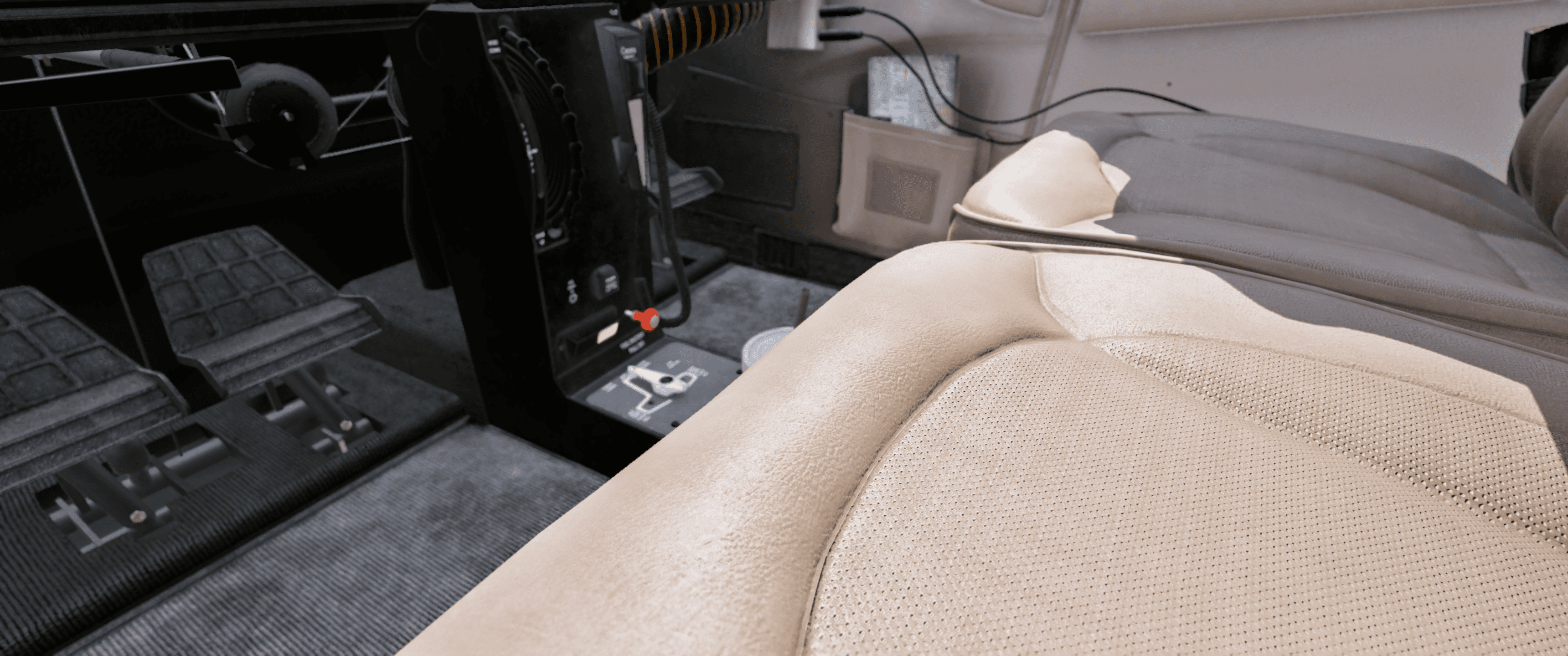
A Sharper, More Detailed Cockpit (1.6.2)
The headline of this release is a full cockpit texture overhaul. We went back through the interior and rebuilt it at much higher fidelity:
Cabin interior and seat textures regenerated at 4x higher resolution
Panel textures reworked for higher resolution, with new detail textures added
Lit (night) textures reworked for a cleaner look after dark
Panel text and labels recreated to match the higher-resolution panels
The result is a noticeably crisper, more lifelike cabin, especially when you lean in close or fly in VR.

Before / After: See the Difference
The best way to appreciate the texture overhaul is to see it side by side. The links below open interactive before / after comparisons in a new tab - drag the slider to compare the previous and the new textures:

A More Authentic G1000 (1.6.1 + 1.6.2)
We put a lot of attention into the G1000 this time:
New display pixel effect that recreates the fine pixel structure of a real G1000 LCD, so the screens read like actual hardware rather than perfectly smooth computer graphics
PFD engine display background fix
PFD and MFD initialization now aligned with the X-Plane 12 native G1000
Reversionary mode now aligned with the X-Plane 12 native G1000
Engine display panel overlay refreshed
MFD splash and database page artwork refreshed
Electrical, Interface and Pro Fixes (1.6.1)
Electrical and systems
External GPU no longer drains the aircraft batteries while connected
Refined the 2D electrical panel wire color when running on external power
Standby battery switch position is now saved and restored with your cockpit states
Interface and Pro
General UI updates
Additional settings for the Pro version

Full Changelog
Version 1.6.2
G1000 PFD engine display background fix
G1000 display pixel effect added
Panel textures reworked for higher resolution
Detail textures added
Lit textures reworked
Panel text objects recreated for higher-resolution textures
Cabin interior and seat textures regenerated at 4x higher resolution
Version 1.6.1
UI updates
Pro version settings
External GPU battery discharge bug fixed
External GPU 2D electrical panel wire color refined
G1000 PFD / MFD initialization aligned with X-Plane 12 G1000
G1000 reversionary mode aligned with X-Plane 12 G1000
G1000 engine display panel overlay refresh
Standby battery switch position saved in cockpit states
MFD splash / database page artwork refreshed
Keep the Feedback Coming
A big thank you to everyone in the community for the feedback, screenshots, and bug reports that make updates like this possible. Please keep them coming, and if you run into anything after updating, let us know through our support channels.
Clear skies,
Juraj, Airfoillabs
Join the discussion of this update on the X-Plane.org forum.


